The first time a sample does something interesting in your lab, it will probably do it against you. It might try to enumerate your file shares or beacon out over a NAT adapter you forgot to disable. It might simply notice VirtualBox Guest Additions and quietly exit. A malware lab is a deliberately hostile environment, and most of the work in building one is controlling what that hostility can reach.
This guide covers a two-day build: an isolated detonation network, disciplined snapshots, a shared Ghidra server on a separate segment, and YARA as the layer that turns each analysis into a detection. It is aimed at engineers who know what a PE header is but have never had to contain one.
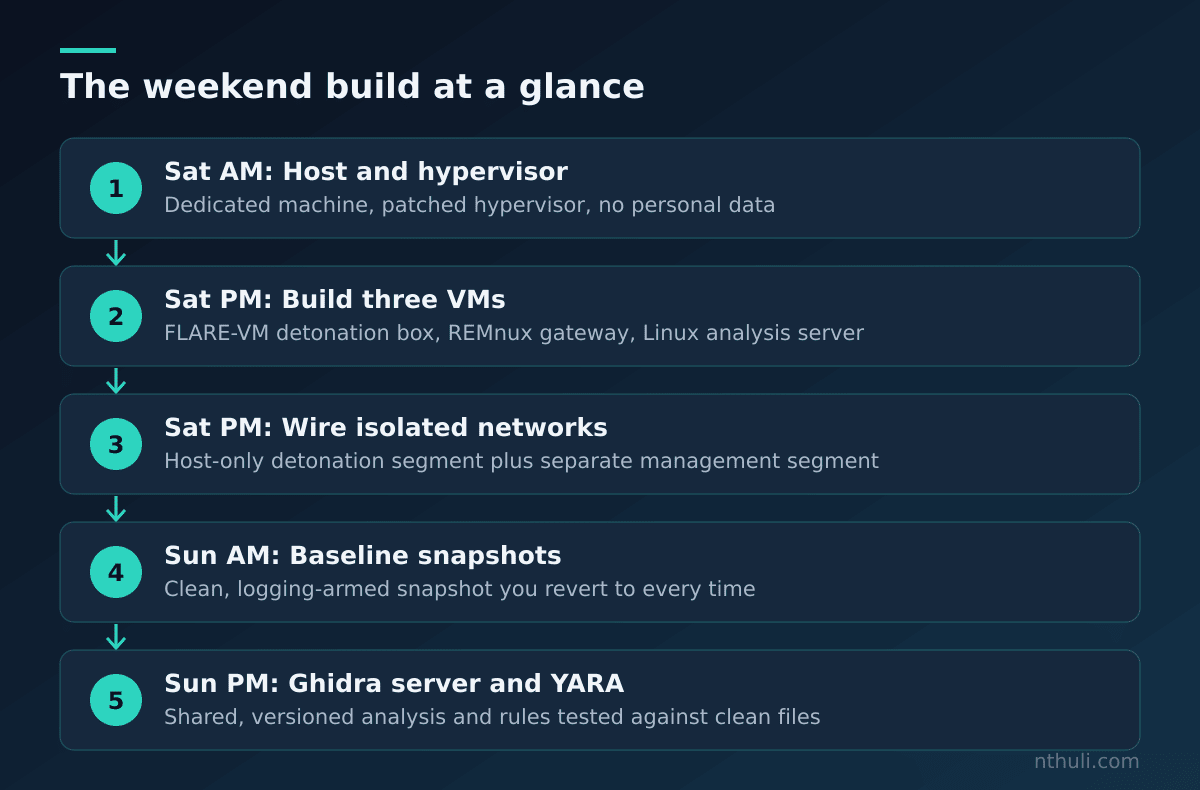
The threat model: what you are actually defending against
Before touching a hypervisor, be clear about what can go wrong. A lab can fail in three ways, and they need different controls.
| Failure mode | How it happens | Primary control |
|---|---|---|
| Lateral escape to home LAN | Bridged or NAT adapter, shared folders, mapped drives | Host-only networking, no shared folders |
| Live C2 contact | Sample resolves and reaches real infrastructure | Fake internet (INetSim / FakeNet-NG), no default route |
| Hypervisor escape | Bug in emulated device or guest tooling | Patched hypervisor, minimal virtual hardware |
| Analysis contamination | Reusing a dirty VM between samples | Revert-to-clean snapshot discipline |
Hypervisor escapes are rare, but they do happen. VENOM, a flaw in QEMU’s virtual floppy controller, is the textbook case: one emulated device nobody used was enough to cross the boundary. The lesson for a beginner is not paranoia. It is to remove virtual hardware you do not need and keep the hypervisor patched.
The other three failures cause nearly all real lab incidents, and all three come down to configuration.
Saturday morning: hardware and hypervisor
You do not need a server rack. A workstation with 32 GB of RAM, a modern CPU with virtualisation extensions and a fast SSD will run three VMs comfortably.
Host choices:
- Type 2 on a dedicated machine (VMware Workstation, VirtualBox): simple, and fine for a first lab. Ideally the host has no personal data and no saved credentials.
- Type 1 (Proxmox, ESXi, Hyper-V): stronger separation and better network modelling, but more to learn.
If you only have one machine and it is your daily driver, think again. Choose a dedicated box or a separate boot disk. A shared host means your browser sessions, SSH keys and password manager sit one hypervisor bug away from whatever you detonate.
Saturday afternoon: building the VMs
Three machines cover most analysis work.
| VM | Base | Role | Network |
|---|---|---|---|
| Detonation | Windows 10/11 + FLARE-VM | Runs samples; dynamic analysis | Isolated segment only |
| Gateway / fake internet | REMnux | INetSim, DNS sink, packet capture | Isolated segment only |
| Analysis server | Linux (minimal) | Ghidra Server, YARA rule repo | Management segment only |
Detonation VM hardening, in the guest settings:
- Remove the virtual floppy, sound card, USB controller and serial ports.
- Turn off shared folders, clipboard sharing and drag-and-drop. Each one is a channel between guest and host.
- Leave guest tools installed for usability, but know that malware checks for them. You can add anti-detection tweaks later, once you have a sample that actually refuses to run.
- Turn off Windows Defender and automatic updates inside the guest, or they will quarantine your samples and change the baseline between runs.
REMnux gateway: give it a static IP on the isolated segment and make it the default gateway and DNS server for the detonation VM. Every packet the sample sends should end up at a box you control and log.
The network: three segments, one rule
The rule is simple: the detonation segment has no path to anything real. No NAT, no bridge, no route to the management network.
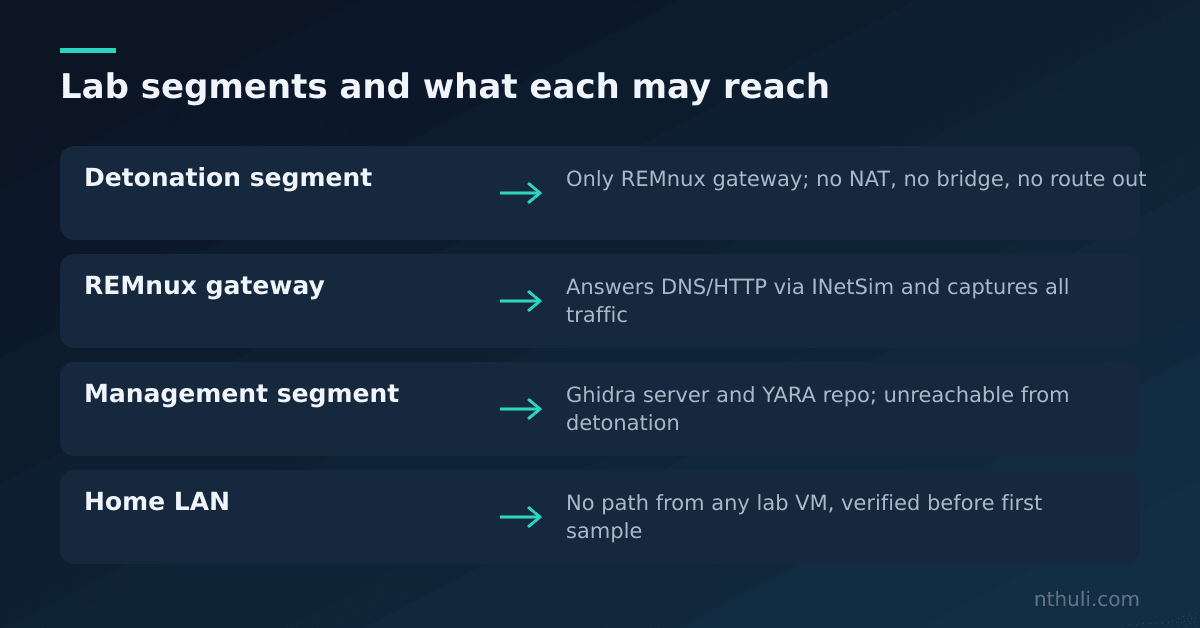
Most beginners get the Ghidra server placement wrong. If it sits on the detonation network, every sample you run can scan it, attack it, or encrypt your project files. Put it on its own management segment, and only the clean analysis tools on your host or a dedicated analyst VM should reach it.
| Setting | Detonation VM | REMnux gateway | Ghidra server |
|---|---|---|---|
| Adapter type | Host-only / internal | Host-only / internal | Separate host-only |
| Default route | REMnux IP | None | None to detonation net |
| DNS | REMnux IP | Local INetSim | Normal (management) |
| Internet access | Never | Never during detonation | Only for updates, then off |
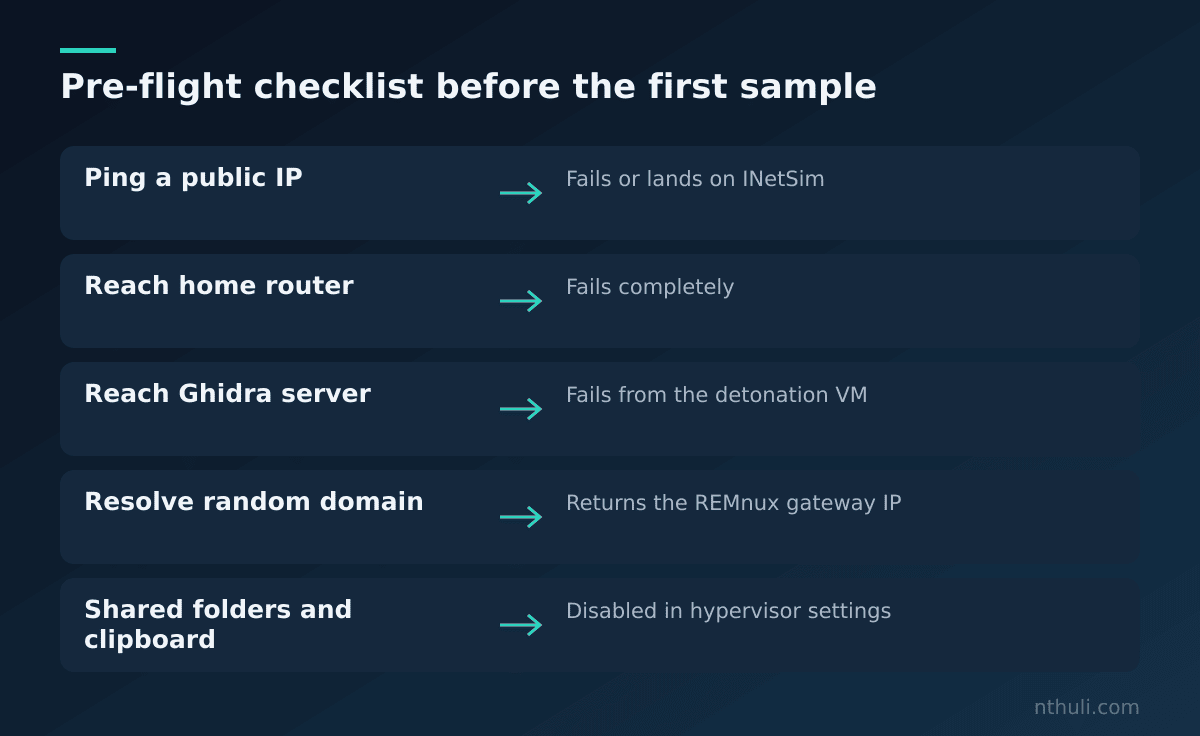
Verify it. Do this before your first sample, not after. From the detonation VM:
- Try to reach a public IP. It should fail or land on INetSim.
- Try to reach your home router. It should fail.
- Try to reach the Ghidra server. It should fail.
- Resolve a random domain. It should return the REMnux IP.
Write the results down. A lab you have not verified is a lab you hope works.
The WannaCry problem: when fake internet lies to you
The fake internet has a catch, and a famous sample shows it well.
The WannaCry worm that spread in May 2017 checked a hard-coded, unregistered domain before doing anything else. If the domain resolved and answered, the malware exited. A researcher registered it and stopped much of the outbreak. The usual reading is that it was a crude sandbox-evasion check: sandboxes often answer every DNS query, so getting a response suggested an analysis environment.
Now picture that sample in your lab. INetSim answers every DNS request, so the kill switch fires, the sample exits, and your report says “no malicious behaviour observed.”
Defensive takeaways:
- Run high-value samples twice: once with full DNS sinkholing and once with NXDOMAIN for unknown names.
- In your capture, flag any sample that makes one DNS query and then terminates. That pattern deserves a closer look in Ghidra.
- Treat “nothing happened” as a finding to investigate, not a clean verdict.
Sunday morning: snapshot discipline
Snapshots are your undo button, but only if you treat them as immutable baselines.
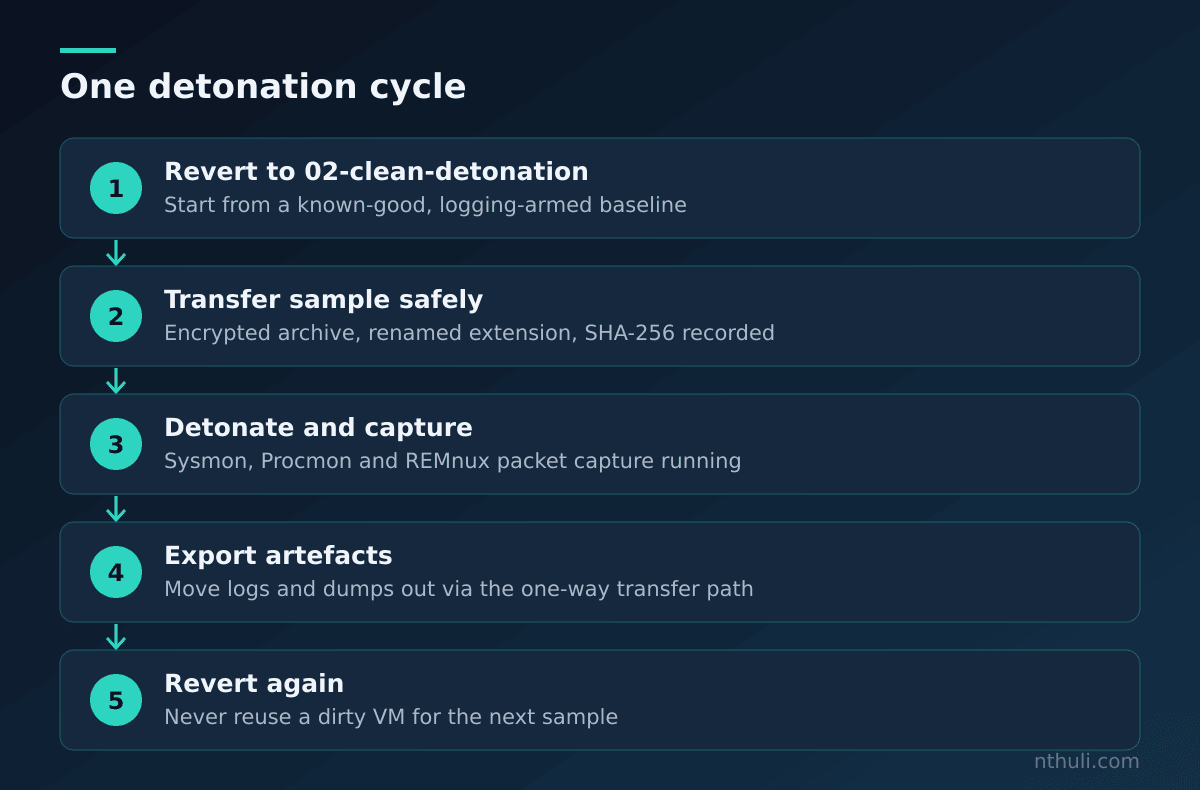
Keep a naming convention that tells you what state each snapshot holds:
00-base-os: fresh install, no tools01-flare-installed: tooling installed, Defender off, network configured02-clean-detonation: logging armed (Sysmon, Procmon config, Wireshark ready). Revert to this one.- Never snapshot after detonation unless the snapshot is clearly named as evidence, for example
evidence-<hash>-<date>.
Sample handling conventions:
- Move samples into the lab as password-protected archives. The community uses the password
infectedby convention, and the encryption stops host AV and accidental double-clicks from triggering anything. - Rename extensions on the transfer host (
.exe→.exe_) so nothing runs by accident. - Record the SHA-256 before and after transfer.
- Move files through a dedicated transfer VM or a one-way ISO, never a shared folder.
Sunday midday: a shared Ghidra server
Ghidra, the reverse-engineering suite the NSA open-sourced in 2019, includes a multi-user server. Even working alone it pays off: your annotations, renamed functions and type definitions are versioned and outlive any VM.
Setup outline on the analysis server:
- Install a supported JDK and unpack Ghidra.
- Configure
server/server.conf. Set the repository directory and bind the listener to the management interface only. - Start the server with the bundled service scripts and add users with the
svrAdminutility. - Firewall the server’s ports (the 13100 range by default) so only your analyst workstation can connect.
Why it matters defensively:
- Analysis lives off the detonation VM, so reverting snapshots never costs you work.
- Version history shows how your understanding of a sample changed, which helps when you write a report.
- Teams can split one large sample by function without overwriting each other’s work.
Back up the repository directory. It quickly becomes the most valuable thing in the lab.
Sunday afternoon: YARA turns analysis into detection
Analysis that never becomes a detection is a hobby. YARA, originally written by Victor Alvarez at VirusTotal, lets you encode what you learned as pattern-matching rules you can run across files, memory dumps and your own lab corpus.
Write rules from stable traits, not from bytes that change every build:
| Weak indicator | Stronger indicator |
|---|---|
| File hash | Unique string combinations in .rdata |
| Single C2 domain | Config decryption routine byte pattern |
| Filename | Imphash or rare import combinations |
| Compile timestamp | Mutex naming scheme + structural PE traits |
A minimal defensive rule structure looks like this:
rule Lab_Example_Family_Strings
{
    meta:
        author = "lab"
        description = "Matches string combo observed in analysed sample"
    strings:
        $s1 = "unique_mutex_pattern" ascii wide
        $s2 = "rare_config_marker" ascii
        $op = { 8B ?? ?? 33 C0 }
    condition:
        uint16(0) == 0x5A4D and 2 of them
}
Workflow for rules:
- Keep rules in a Git repository on the analysis server.
- Test every new rule against a clean-file corpus (a fresh Windows
System32copy works well) to catch false positives. - Then test it against your sample set to confirm true positives.
- Tag rules with the snapshot and hash they came from so you can trace them later.
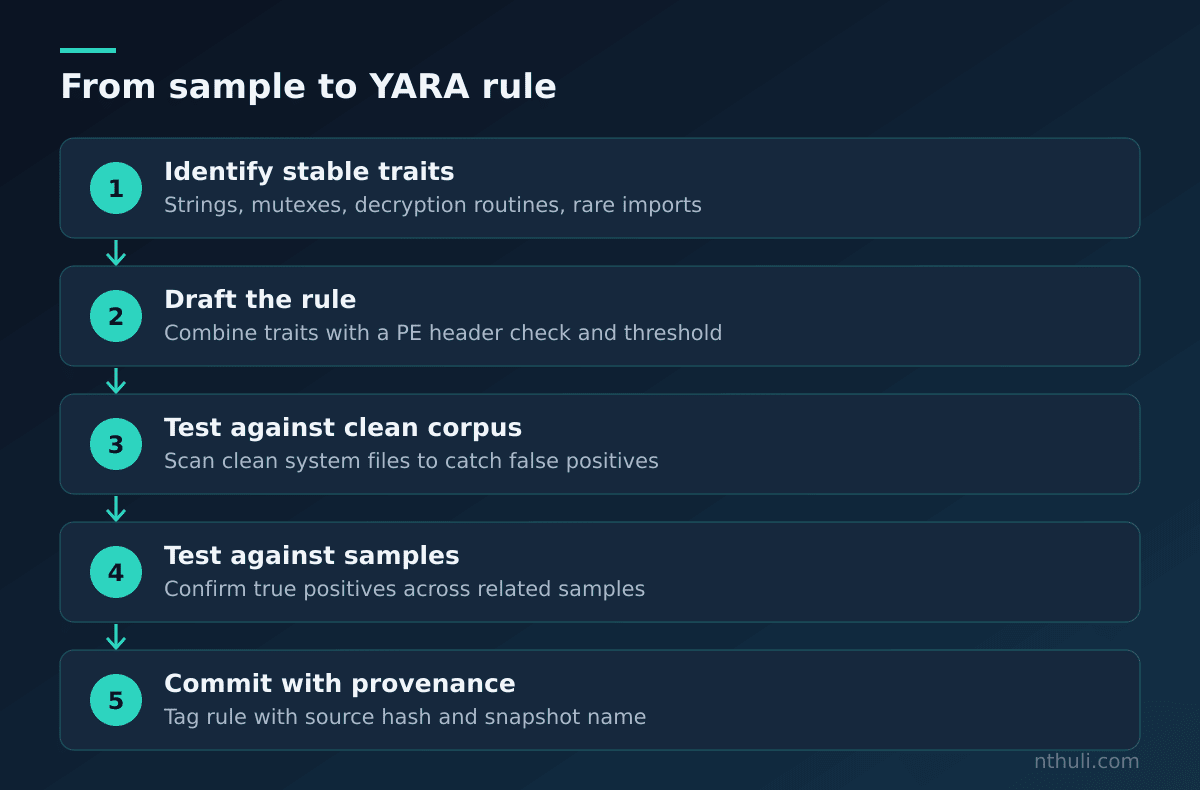
The weekend checklist
Expect your first real sample to fight back. It may stall, look for a debugger, or check whether the machine has been up long enough to look like a real user’s desktop. That is not the lab failing. It is the start of the analysis.
What to learn from this
- Isolation is a configuration you test. Before the first sample, prove from the detonation VM that it cannot reach your LAN, the internet or the Ghidra server.
- Keep your analysis infrastructure off the detonation network. The Ghidra server and YARA repo belong on a separate segment, or a sample can damage the work it is helping you build.
- A fake internet changes how malware behaves. WannaCry’s kill switch shows that answering every DNS query can hide malicious behaviour. Run critical samples under more than one network profile.
- Snapshots only help if you revert every time. Name them clearly, always detonate from a known-clean baseline, and keep evidence snapshots separate.
- Finish every analysis with a detection. A YARA rule tested against clean files is what turns a weekend lab into something useful for the SOC.